Plain language, named trade-offs
Understand the tech.
MCX doesn't just stock the world's finest technology — it explains it. Plain-language explainers on the systems that define modern media, each one live in a zone you can visit.
Which leaves working professionals assembling an understanding out of marketing decks, forum arguments and half-remembered trade-show conversations. These explainers are written by people who run the systems, and every one of them ends in a room where you can go and watch the thing behave.
A question is faster than a form.
Message the floor and a specialist answers — not a queue.
What rides on what.
Most confusion about IP video comes from mixing layers — arguing about NDI against ST 2110 as though they compete, when they sit at different heights. At MCX all four layers run simultaneously on one backbone.
No jargon.Just how it works.
6Explainers, each live in a zone
Written for working professionals and curious newcomers alike. Every explainer ends where the tech lives — in a zone you can walk into and switch on.
What is IP video? ST 2110 in plain language.
The move from SDI cables to networked media — and how NDI, Dante, SRT and SMPTE ST 2110 all run together on one NETGEAR Pro AV backbone at MCX.
Anatomy of a live production chain.
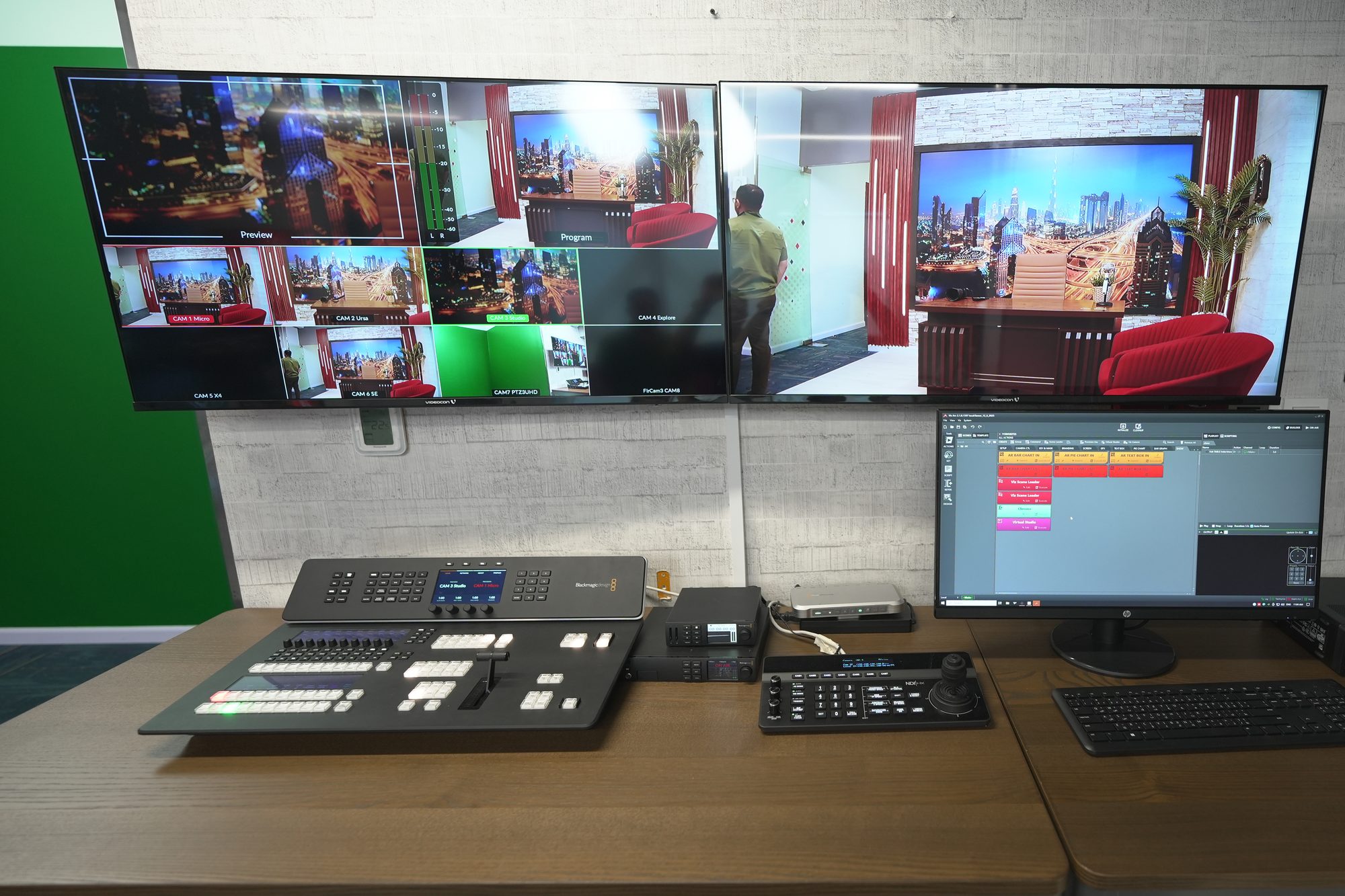
Camera to switcher to encoder to stream. Every link in a modern live broadcast — and where things break if you get them wrong.
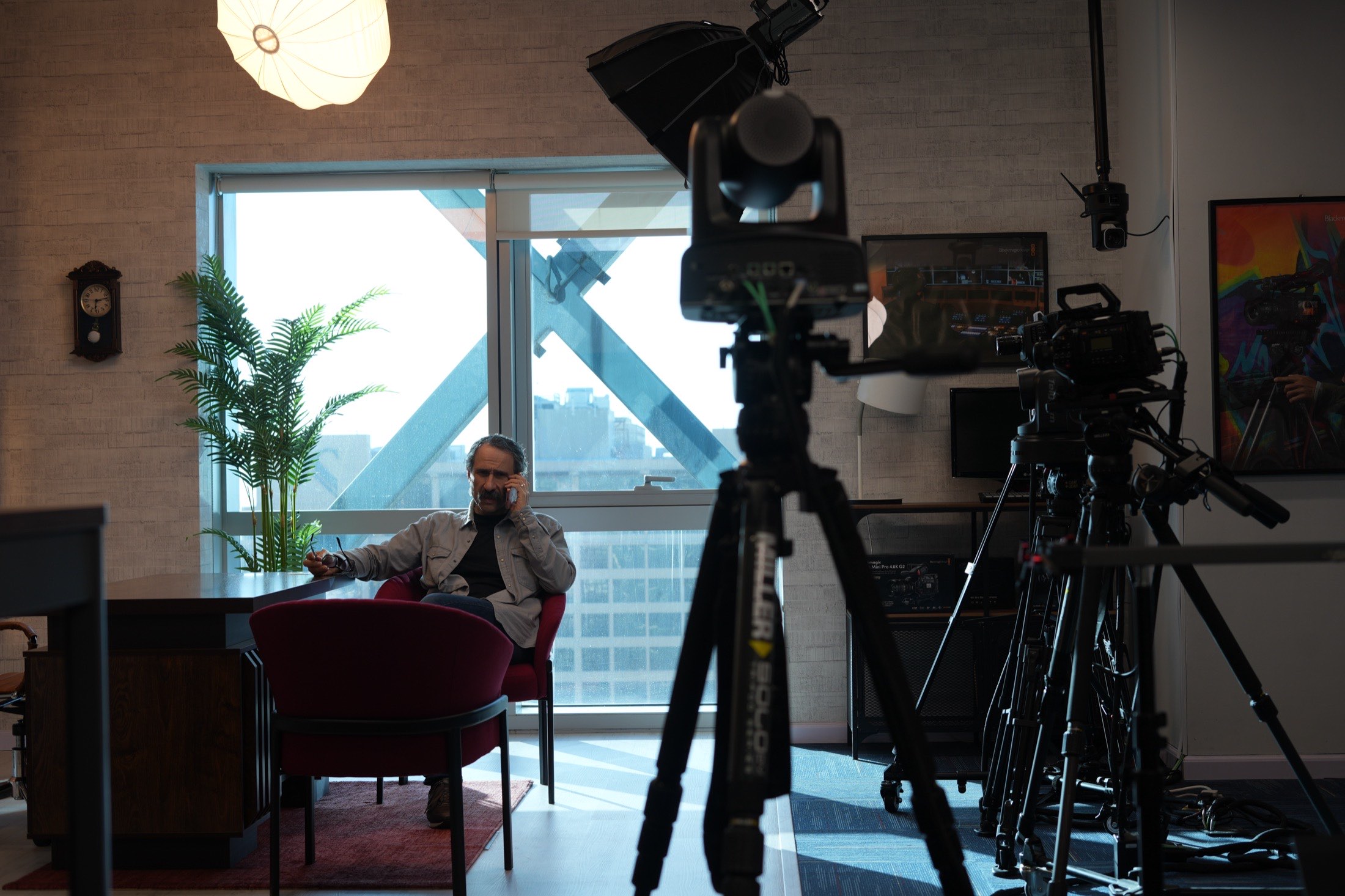
NDI, SRT, RTMP — which protocol, when.
Encode, decode and transcode explained through Kiloview hardware: latency, reliability and interoperability across real IP networks.
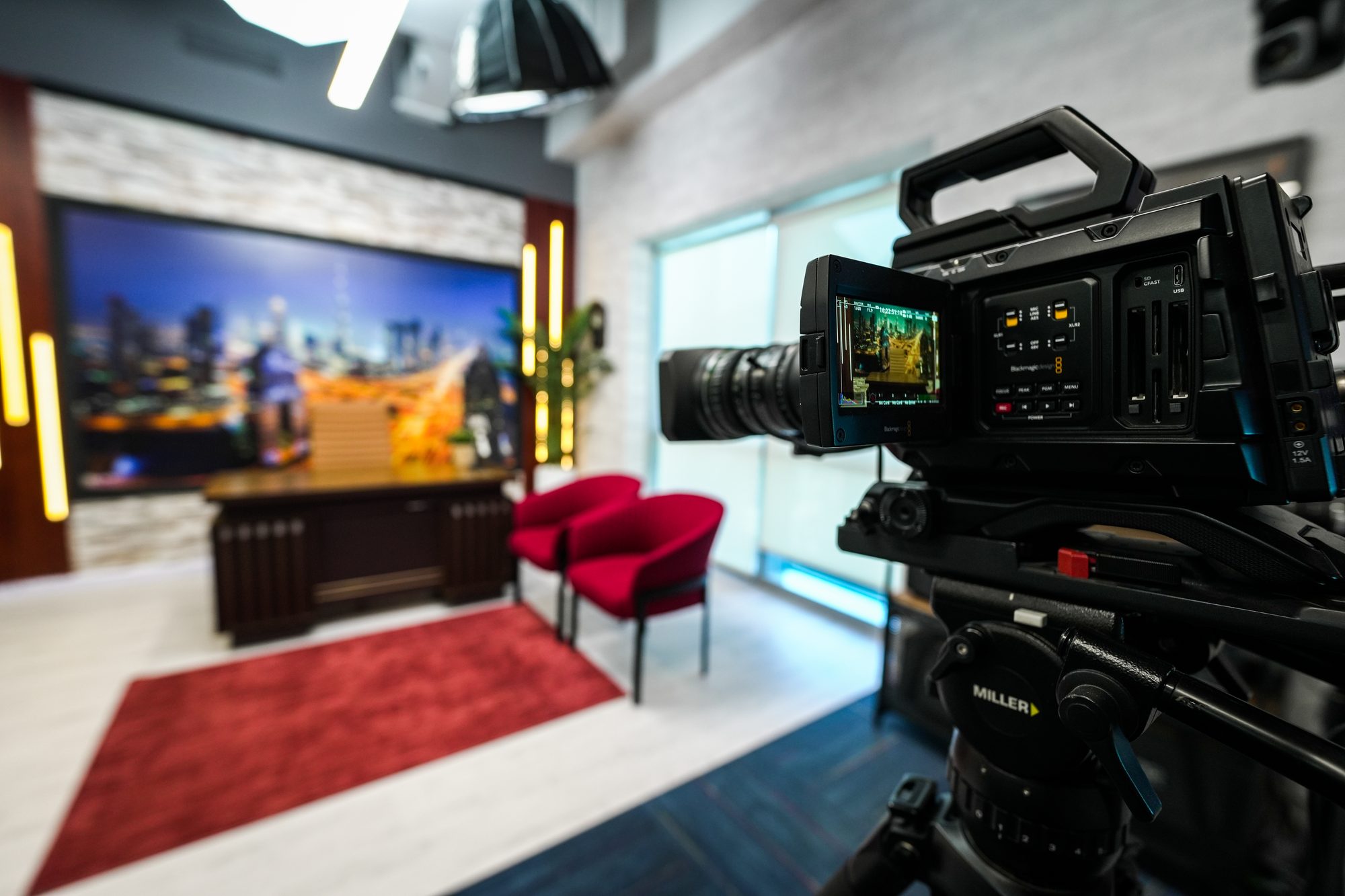
BRAW, ProRes and RAW — which format, when.
Compression, control and file size. A practical guide to the formats you meet on the URSA Cine and PYXIS bodies in the Cinema zone.
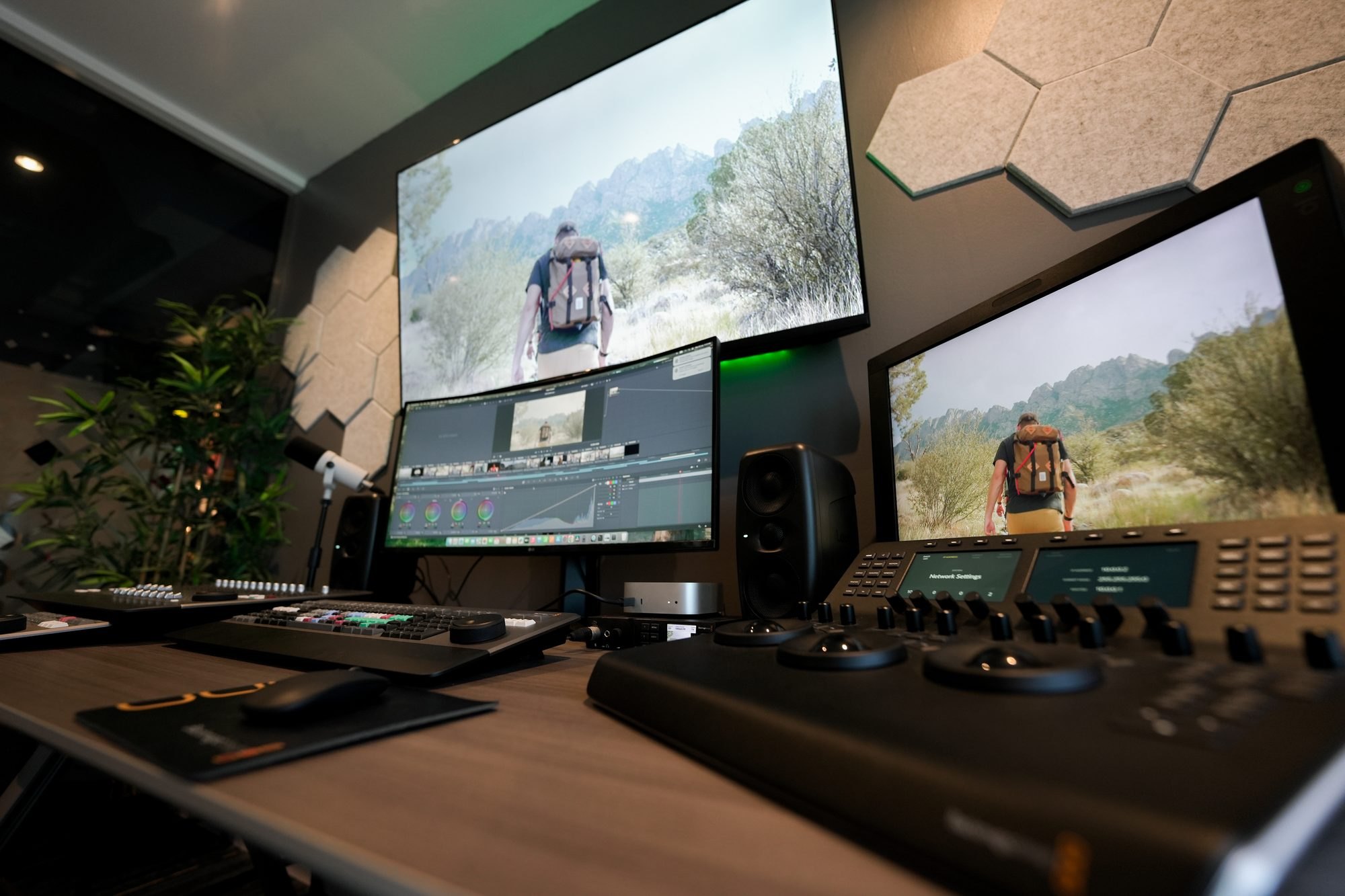
Colour science & dynamic range, without the jargon.
Why two cameras 'see' colour differently, what dynamic range really buys you, and how a colour-managed Resolve pipeline keeps it honest end to end.
Immersive & spatial audio, from stereo to Atmos.
What immersive audio actually changes, the room and monitoring it needs, and how the Recording zone is set up to work in it.
Every explainer is a room. Reading about ST 2110 is useful. Watching NDI, Dante and ST 2110 share one backbone while a live show runs on top of it is a different kind of understanding — and it takes about ten minutes on the floor.
Reading is a start.Experiencing is the point.
Every system in these explainers is live at MCX. Come put your hands on it.
Five methods, and their names
Everything below is one of these five. They are how this floor is used rather than features of anything on it — so they are worth knowing by name before the detail starts.
One Route
Every room wired to the next, walked in the order a production runs. You follow a signal from lens to finished grade without carrying a drive anywhere.
The Four Chains
Four complete signal paths, named end to end, each one runnable on your own material in an afternoon.
The Honest Comparison
One light, one set of glass, one subject — and only the body changes. The moment two things differ you are comparing taste.
Broken on Purpose
We create the fault while you watch from the gallery. A fault you have seen once is a fault you can find again.
Order of Spend
The sequence matters more than the total. The boring purchases come first, and we say out loud what we would not buy yet.
How the decision gets made
SDI or IP is not a preference
Both chains are installed here and both are switched on, because the answer changes with the job — not with taste.
Coax, fixed run
100m
Under that, over fixed positions, coax is simpler and cheaper to fault-find. A run either works or it does not, and a scope tells you which in seconds.
- 01Distance
Across floors, or changing
IP wins the moment cameras move. Adding a source becomes a patch and an address rather than a new cable pull.
- 02Source count
Fewer than eight
An ATEM and coax will outrun the time you would spend configuring a network. Complexity you do not need is still complexity.
- 03Scale
Twenty and growing
The switch becomes the cheapest part of the system. NETGEAR AV with IGMP snooping and a VLAN per service, or multicast will find every weakness you have.
- 04Latency
Talent watching themselves
Baseband, every time. NDI adds frames; a presenter watching a delayed return will feel it before they can name it.
- 05Routing
Gallery monitoring only
NDI is fine and buys you routing you cannot get otherwise. Measure it on your own network rather than trusting a datasheet.
- 06Budget
Fixed, and tight
Spend it on glass and lighting. A better lens outlives three generations of switcher, and no codec recovers a badly lit face.
Bring your cable schedule and we will tell you which chain it wants.
Ask about your run“We have specified both this month. The honest answer twice was “keep the coax you have and spend it on lighting”.”
MCX engineers
The numbers that settle arguments
Most disagreements about infrastructure turn out to be disagreements about arithmetic, and the arithmetic is public. These are the figures we keep coming back to in the rooms. Where a number depends on your cable or your kit, it says so — and the bench will give you the real one in an afternoon.
11.88Gb/s — 12G-SDI, the ceiling on one BNC
1.485 Gb/s
One BNC, and any decent coax carries it further than you will ever need it to.2.970 Gb/s
The workhorse. Roughly 100 m on good cable before the scope starts telling you about it.11.88 Gb/s
Same connector, a third of the reach. Budget 40–70 m and test the drum you actually bought, not the one in the brochure.≈ 2.5 Gb/s
Uncompressed over IP costs what uncompressed over coax costs. There is no discount hiding in the switch.≈ 9.9 Gb/s
Four times the pixels, four times the bill. This is the line where 25G ports stop being a luxury.≈ 100–150 Mb/s
Twenty-odd times lighter than uncompressed, and six or seven of them still sit comfortably on one gigabit port.≈ 8–20 Mb/s
Light enough for wireless and for a long haul. Pays for it in encode and decode delay, which the next section counts.8–15 Mb/s
What a broadcaster expects on the way in. Bonding exists because that is more than one mobile connection can honestly promise.100 m
The number that decides whether a room needs fibre.300 m
And the number that decides it does not.The two ST 2110 figures are arithmetic rather than marketing: pixels × samples per pixel × bit depth × frame rate. Work yours out on the back of something before anyone quotes you a switch, because the answer decides the port count and the port count decides the price.
Work your own number out with us before anyone quotes a switch.
Send us the specThe Four Chains, named end to end
Every device below is on the floor upstairs. These are the routes we walk people through, and the ones you can run yourself on the day.
4Chains you can run end to end here
Two-camera interview, live to stream
The everyday one
- URSA Broadcast G2 and a Studio Camera 4K Pro on the set, matched on a Camera Control Panel so skin tones agree before anything is cut.
- Both into the ATEM 2 M/E Constellation over SDI. Baseband, because the guest is watching a return.
- Audio from sE Electronics mics into the Apollo, monitored on the Audio Monitor rather than on headphones nobody has calibrated.
- Programme out to the HyperDeck Studio 4K Pro for the archive, and to the stream encoder for the live path.
What you learnwhether your talent can tolerate the return delay, and whether two different bodies actually match once they are lit.
Six sources across two rooms
The one that needs the network
- Telycam and BirdDog PTZ heads encoded to NDI at the source by Kiloview, so no coax leaves the room.
- NETGEAR AV switching with IGMP snooping on, a VLAN for video and a separate one for control.
- Into the TriCaster Vizion, which takes NDI natively and mixes it against baseband sources on the same M/E.
- Multiview to the second gallery over NDI, so two operators see the same thing without a second cable run.
What you learnwhat your switch does when six streams start at once, which is the question a datasheet cannot answer.
Cinema test to a graded clip
The one that settles an argument
- Two bodies on the bench behind the same prime under the same Colbor set-up. Glass and light held constant.
- Blackmagic RAW to CFexpress or an 8TB Media Module, with H.264 proxies alongside where the body writes them.
- Straight into DaVinci Resolve in the colour suite — same afternoon, no drive leaves anyone’s hand.
- Graded on the Sony colour-calibrated reference, against your delivery spec rather than ours.
What you learnwhere the extra stops actually show, and whether they show on the material you shoot.
Virtual set with a live key
The one people underestimate
- Green set lit for the key first and the subject second — the order most people get backwards.
- Vizrt Virtual Studio Go doing the composite live, with the ATEM Television Studio HD8 ISO recording every input separately.
- Spill controlled with the Colbor CL330 set, because a key that survives a head turn is a lighting problem, not a software one.
- ISO records kept, so a failed take can be re-keyed rather than re-shot.
What you learnexactly where the technique stops convincing, which is more useful than seeing it at its best.
Run one of these end to end, on your own material, in an afternoon.
Book the chainLatency, counted in frames
Latency arguments are almost always about the encoder, and the encoder is almost never the problem. Here is a whole 50 Hz chain, stage by stage. One frame is 20 ms — hold that number and everything below is easier to reason about in frames than in milliseconds.
2frames
That is the honest answer to “how much does NDI add?” — and it is usually less than the production monitor at the end of the chain adds on its own.
The interesting bar is the last one in both rows. A production monitor with scaling, deinterlacing or frame-rate conversion left switched on can add three frames by itself — more than the entire IP section above it. It is the stage nobody measures, because it does not come with a figure you can argue about. Bring your monitor to the bench and we will run a timecode burn through it and read the answer off the screen.
Which makes the honest answer to “how much does NDI add?” roughly two frames — and usually less than your display does.
Getting a picture out of somewhere that has none
A venue with no fibre, a car park, a site office, a rooftop. The question is never “is there internet” — it is whether what there is will hold for ninety minutes without anyone watching it. Bonding is the honest answer, and the Kiloview P3 is the box we hand people to try it.
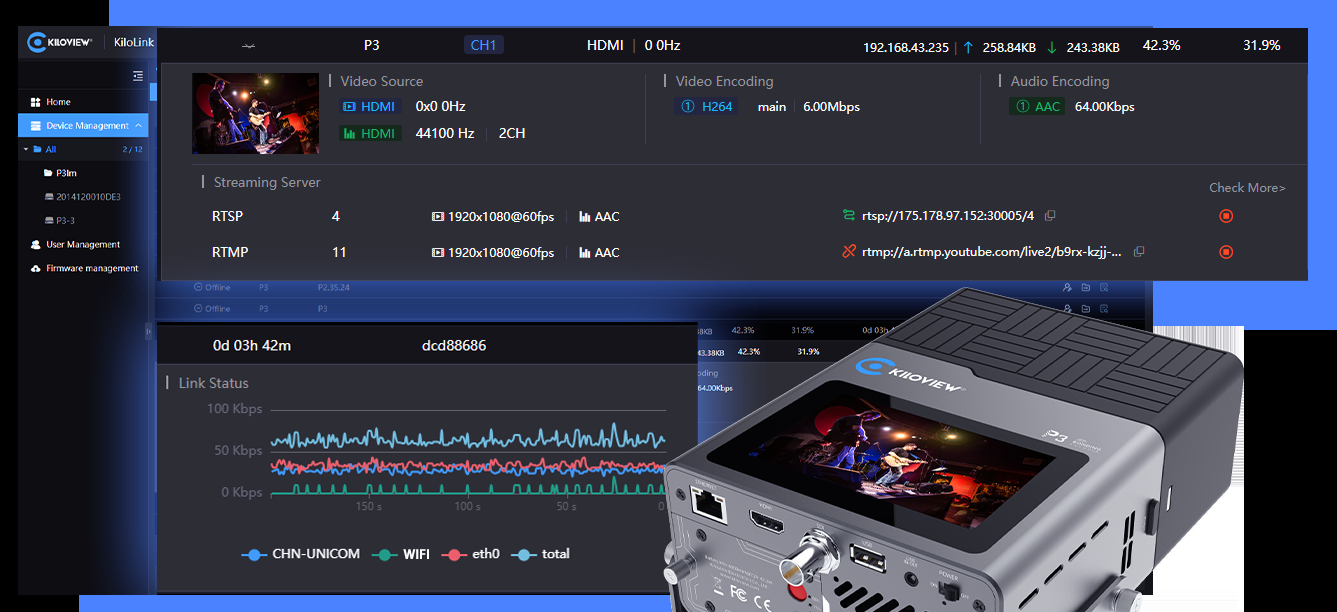
2Bonding units on the shelf — P3 and P3Mini
What it does
Several links, one stream The P3 takes SDI or HDMI in and spreads one encoded stream across whatever it can reach — mobile, fixed line, Wi-Fi. Lose one and the picture stays up on the rest.What it does not do
Create bandwidth Bonding buys survivability, not capacity. Four weak connections are still four weak connections; what you gain is that no single one of them can end the transmission on its own.The trade
Latency, deliberately Every bonded link needs a buffer deep enough to reorder packets that took different routes. Set it short and it breaks up; set it long and your presenter cannot hold a two-way. The number is a decision, not a default.The bitrate
8 to 15 Mb/s, honestly That is the same figure the contribution row above gives for SRT, and it is what a broadcaster will expect on the way in. Promise more over mobile and you will spend the show explaining why it dropped.The P3Mini
When it has to be worn Same idea, smaller body, fewer inputs. It goes on a camera operator rather than in a rack, which is usually the deciding factor rather than any specification.How to test it
On the site, not here Our floor has good connectivity, which makes it the worst place to prove a bonding rig. Borrow the P3, take it to the actual car park, and watch it at the hour you will be live.Take the P3 to the site before you promise anyone a live feed from it.
Borrow the P3Broken on Purpose
A chain you cannot interrupt tells you nothing about the day it breaks. These are the failures we can create here, on request, while you watch from somewhere else on the floor.
6Faults we will create on request
Network
A saturated uplinkStart a file transfer across the same trunk carrying video and watch which streams degrade first. Usually the ones nobody thought to prioritise.Network
IGMP snooping offMulticast floods every port. The room stays up, the office network does not — which is how this fault normally gets discovered.Power
A camera dropped mid-takeWhat the switcher does, what the record does, and how long the return takes to come back.Media
A card pulled while recordingWhich formats leave a recoverable file and which leave nothing. Worth knowing before it happens on a job.Colour
An uncalibrated monitor in the chainThe same file on reference and on a profiled-by-nobody display, side by side. The gap is usually larger than people expect.Ask us to break it while you watch from the gallery.
Request a fault“Nobody learns a system from a system that works. We would rather break it in front of you than have you find it on a live day.”
MCX engineers
Six things we hear every week that are not true
Not to score points. Each of these costs somebody money, and it is usually spent on equipment bought to solve a problem they did not have.
6Claims we hear weekly that are not true
“4K needs four times the bandwidth of HD.”
What is actually true
True uncompressed — the table above says so plainly. Untrue for anything compressed, where the jump is closer to two or two and a half times, because a codec has more to predict from when there are more pixels. Budget from your codec, not from a pixel count.
“NDI is lossless.”
What is actually true
High Bandwidth is visually lossless at normal rates, which is a different claim. Every hop re-encodes. One hop is invisible; five hops through five devices is a decision worth taking deliberately rather than discovering in the grade.
“We are going to need 10 gigabit.”
What is actually true
Sometimes. But one gigabit port carries six or seven NDI High Bandwidth streams without complaint. What actually breaks IP video is multicast flooding on a switch with IGMP snooping switched off — and a faster switch makes that fail faster, not better.
“More bit depth means more colours on screen.”
What is actually true
Bit depth buys headroom to grade, not colours a viewer can see. Eight-bit and ten-bit look identical ungraded and stop looking identical the moment you pull a sky two stops. Shoot for what you intend to do to it later.
“Fibre is always better than copper.”
What is actually true
Past 100 m, yes. Under it, fibre adds transceivers, connectors, a cleaning routine and a spares problem to something coax or Cat6a had already solved. The best cable is the one your team can terminate at eleven at night.
“The camera decides the look.”
What is actually true
Lens, lighting and grade decide the look. The body decides how much of it survives the grade. That is why the cinema bench holds one lens against several bodies rather than the other way round — it puts the variable where the money usually goes wrong.
How a fault gets found
This part appears in no specification and it is most of the job. The method is unglamorous and it is the same every time, which is exactly why it still works at two in the morning when the clever approach has stopped being available.
6Steps, in this order, every time
Reproduce it before touching anything
A fault you cannot make happen again is a fault you cannot prove you fixed. Half of what gets reported as intermittent turns out to be perfectly repeatable once somebody writes down what they were doing when it happened.
Halve the chain
Do not walk it from the camera forwards. Split it in the middle, test there, and throw away half the problem in one move. Ten devices become one in four tests instead of ten.
Change one thing
Two changes and a working system tells you nothing you can use the next time it happens. This is the rule that goes first under pressure and the one that costs the most when it does.
Swap, do not adjust
A known-good cable settles in thirty seconds what an hour in the menus will not. Keep the known-good pile stocked, labelled and boring.
Suspect power and the return path
Two thirds of the faults found on this floor have been one or the other. Everyone watches the signal going out; almost nobody watches what is coming back, or what the thing is plugged into.
Write down what fixed it
Not for the file. For the next person, who will be you, in eighteen months, on a Sunday.
None of this is proprietary and none of it is difficult. It is on this page because it is what actually happens in the rooms — and because a visitor who watches a fault get found learns more about a system than one who only ever watches it work.
Watch one get found on our floor before it happens on yours.
Come and watchTen words that cost people money
This is not pedantry. Every one of these gets used to mean two different things inside the same meeting, and the gap between the two is exactly where a specification goes wrong.
10Words that get used two ways in one meeting
Uncompressed
Sensor data before debayer — usually compressed, often heavily. BRAW is both raw and compressed, which is why the word on its own tells you nothing at all about file size.The same thing
Bitrate is how much data per second. Bit depth is how finely each sample is described. A high-bitrate 8-bit file still bands the moment you grade it.One resolution
Two: 3840×2160 is UHD and almost certainly what your delivery means; 4096×2160 is DCI and may be what the camera recorded. Those 256 pixels are a reframe nobody budgeted for.Interchangeable
MP4 and MOV are containers; H.264 and ProRes are codecs. “It will not open” is nearly always a codec problem being blamed on a container.The same thing
Latency is what the system adds and you cannot remove. Delay is what you add deliberately to line things back up. You fix a lip-sync problem with delay, never by chasing latency.The same thing
ISO rates the sensitivity the sensor was designed around; gain is amplification applied after the fact. Dual native ISO means two designed points, not two amounts of gain.One setting
The space is which colours can exist. The gamma is how values map to light. Get the space right and the gamma wrong and you produce a picture that is precisely wrong in a way that looks very nearly right.A look
A lookup table. A conversion LUT moves between spaces and is technical; a creative LUT is a look. Applying a creative LUT to footage sitting in the wrong space is the commonest reason a grade “will not sit”.Bundled together
Frame rate is how many; shutter is how long each one stays open. Motion is decided by shutter, smoothness by frame rate. Change one without the other and the footage feels wrong for a reason nobody can name.The same thing
All AVoIP is IP; most IP is not AVoIP. What makes it AVoIP is timing, discovery and a switch configured for multicast. Buying “an IP switch” buys you none of the three.The scope is not decoration
There is a SmartScope on the gallery desk and another in the colour suite, and most visitors have never been shown what to actually look at. Four displays, four different questions — and each one is silent about the others.
4Displays, four different questions
Waveform
Where is the exposure sitting, and is it legal?The one to keep up while you light. It says nothing whatsoever about colour: a perfectly legal picture can be badly white balanced and the waveform will not care.RGB parade
Is the white balance honest, and is one channel clipping?Three waveforms side by side. It will tell you the red channel is gone; it will not tell you where in the frame, because it flattens position into brightness.Vectorscope
Is the saturation sane, and is skin on the line?The skin-tone line is the most useful diagonal in this building. It tells you nothing about whether the shot is exposed correctly at all.Histogram
How much of the range am I using?The least useful of the four on set, and the one most cameras show by default. It has no sense of where — a face and a window are the same bump to it.The habit worth building: waveform for exposure, parade for balance, vectorscope for skin, histogram for very little. Ten minutes on the desk with your own picture in front of you is enough to make it a reflex, and it is the single fastest thing anyone learns here.
Ten minutes on the desk with your own picture makes it a reflex.
Book the benchSound is not the second half of the job
An audience forgives a soft shot and leaves over bad sound. The floor carries a full recording and music chain for that reason — Universal Audio conversion, a locker of microphones, real compressors, and monitoring in a room that is not lying to you. These are the questions we work through, and they are the same questions whether you are cutting a podcast or a record.
8Decisions before you buy a microphone

The room
Before any microphoneA treated room and a cheap microphone beats an expensive microphone in a bad one, every time. Almost nobody wants to hear this, and it is still the first thing to fix.Microphone
One that models manyThe Sphere DLX gives you a locker in a single body and lets you change your mind after the take. Useful when you do not yet know what the voice wants.Microphone
Or the locker itselfA U47 FET, a WA87, an sE 2200a and the V-series dynamics are all on stands here. Hear one against another in the same air on the same day — the only comparison that settles anything.Compression
Fast, or forgivingA WA-76 grabs a transient; a WA-2A leans on a vocal and lets it breathe. Both are on the bench so you can stop reading about the difference and hear it.Interface
Two inputs, or sixteenAn Apollo X4 covers a voice and a guitar. The X16D exists for the day the band arrives, and buying the small one twice costs more than buying the right one once.Monitoring
Nearfield against smallLYD5, LYD8 and the iLoud MTM sit side by side. Bring a mix you know and find out which one has been lying to you.Latency
Tracking a performerMonitor through the interface, not the DAW. A singer hearing themselves late will fight the timing rather than name the delay — the same trap as a presenter on a delayed return.Music
Making it, not just capturing itAn MPC ONE+, LUNA PRO, the Eventide pedals, TONEX and the amp wall are set up to be played, not demonstrated. Turn up with an idea and leave with a stem.Bring a mix you know and find out which monitor has been lying to you.
Bring a mixOrder of Spend: three budgets
The order matters far more than the total. These are the sequences we would follow ourselves, and they put the boring purchases first because that is where a picture actually comes from. Each one also says what we would not buy yet, which is the half most lists leave out.
3Budgets, and what we would not buy yet
A first serious kit
One person, going out to shoot
- Glass before bodies. One good prime beats a second camera, and it will outlive three generations of them.
- Light you can shape — one soft source and something to flag it with. This buys more picture than any sensor upgrade.
- Sound: one decent microphone and somewhere reliable to record it. Bad audio loses an audience faster than soft focus.
- Cards, and a second set of cards. Then a way to get them off in the field.
- Only now, the camera body.
Not yet: a switcher, a second body, or anything with “pro” in the name and no lens in front of it.
A working small facility
A room that has to deliver on a date
- A managed switch with IGMP snooping and a VLAN plan written down before anything is plugged in.
- Monitoring you can trust. One calibrated display beats four that agree with each other and are all wrong.
- An ISO-capable switcher, so a failed take becomes an edit rather than a re-shoot.
- Storage with an actual backup — not a second copy on the same shelf in the same room.
- A spares box: cables, an SDI-to-HDMI, a known-good card. Boring, and it saves days.
Not yet: 12G everywhere. Run it where it earns its place and coax the rest.
An upgrade with real money
A facility that already works
- A reference display and a room that is not fighting it. Before any camera. Every judgement downstream depends on it.
- Redundancy on the paths that genuinely cannot fail: power, uplink, record. Not on everything.
- Training. The only line item that improves every piece of equipment you already own.
- Documentation and labelling. Unglamorous, and it is what makes the facility survive a staff change.
Not: resolution you have no route to deliver, or a format your post pipeline has never been tested against.
Tell us the number and we will put the list in order with you.
Talk it through“The order is the advice. We have watched people buy the switcher first for fifteen years, and it has never once been the thing that fixed the picture.”
MCX engineers
How to test a claim without taking anyone’s word
Including ours. We would genuinely rather you could run this on your own floor — the method is not proprietary, it is not difficult, and it is only rarely written down anywhere.
5Tests you can run without taking our word
Write the claim down as a number
“Better in low light” cannot be tested. “One stop cleaner at 3200 behind the same lens” can. If the claim will not survive being written as a number, that is already the finding.
Change exactly one thing
Same lens, same light, same subject, same settings. The moment two things differ you are comparing taste again, which is where almost every published comparison quietly goes wrong.
Shoot the boring subject
A face, a grey card and something with fine repeating detail. Not a sunset. Sunsets flatter everything and settle nothing.
Look at it where it will be seen
On the delivery display, not on the camera’s own screen. A great many purchases have been decided on a five-inch monitor in daylight.
Push it until something breaks
Grade it two stops in each direction. What survives is the answer. An image only judged at its correct exposure tells you nothing about the headroom you are buying.
Write down what you saw, then delete the files
The note is the asset, not the footage. Six months later you will remember that you did the test and nothing whatsoever about the result.
If you would rather not build that rig, it is already standing here and you are welcome to it. But you should be able to run it without us — and a vendor who discourages you from trying has told you something worth knowing.
The questions we will ask you
None of these are sales questions. They are the ones that decide whether a system is right, and getting them wrong is expensive in a way the invoice never shows.
12Questions, video and audio
Video and network
- What is the longest cable run, and does it cross a floor, a road or a landlord?
- How many sources on day one, and how many in three years when the format has changed?
- Is anyone on camera watching a return? That single answer decides baseband or IP more often than any other.
- Who maintains it at two in the morning — you, an integrator, or nobody yet?
- What is the delivery spec, and who signs it off? Grading to the wrong standard is the most common expensive mistake we see.
- Does the network already carry something that must not go down when video starts?
- What would you keep from the current setup if budget forced you to keep something?
Sound and music
- Where does the sound come from — a person in a treated room, a person on a set, or a stage with a band on it? The three want different rooms before they want different microphones.
- Is anyone performing to a click or to their own voice? That decides whether monitoring goes through the interface or the DAW, and it is the difference between a comfortable take and a fought one.
- How many inputs at once, on the busiest day you can foresee? Two is a different purchase from sixteen, and buying the small one twice costs more than buying the right one once.
- What are you delivering to, and at what loudness? Broadcast, streaming and cinema do not agree, and a mix approved against the wrong target gets rejected on someone else’s meter.
- Are you capturing music or making it? Capturing needs a room and conversion; making it needs instruments, and the two budgets look nothing alike.
Answer these with us in an hour, in the rooms they describe.
Start the conversation