Learn it where it lives.
Seven courses, taught by the people who do the work — on the very equipment MediaCast distributes, in the zones where it runs.
Technology only creates value in trained hands. A console is potential; a certified operator is a result. So a distributor's real job is not to move product — it is to raise the competence of the entire channel it serves, and keep raising it.
Our own engineers and specialists — Lawrence, Mamdouh, Abigail, Joel and Mahmoud among them — hold live manufacturer certifications and re-certify continuously, because we cannot teach what we have not mastered ourselves.
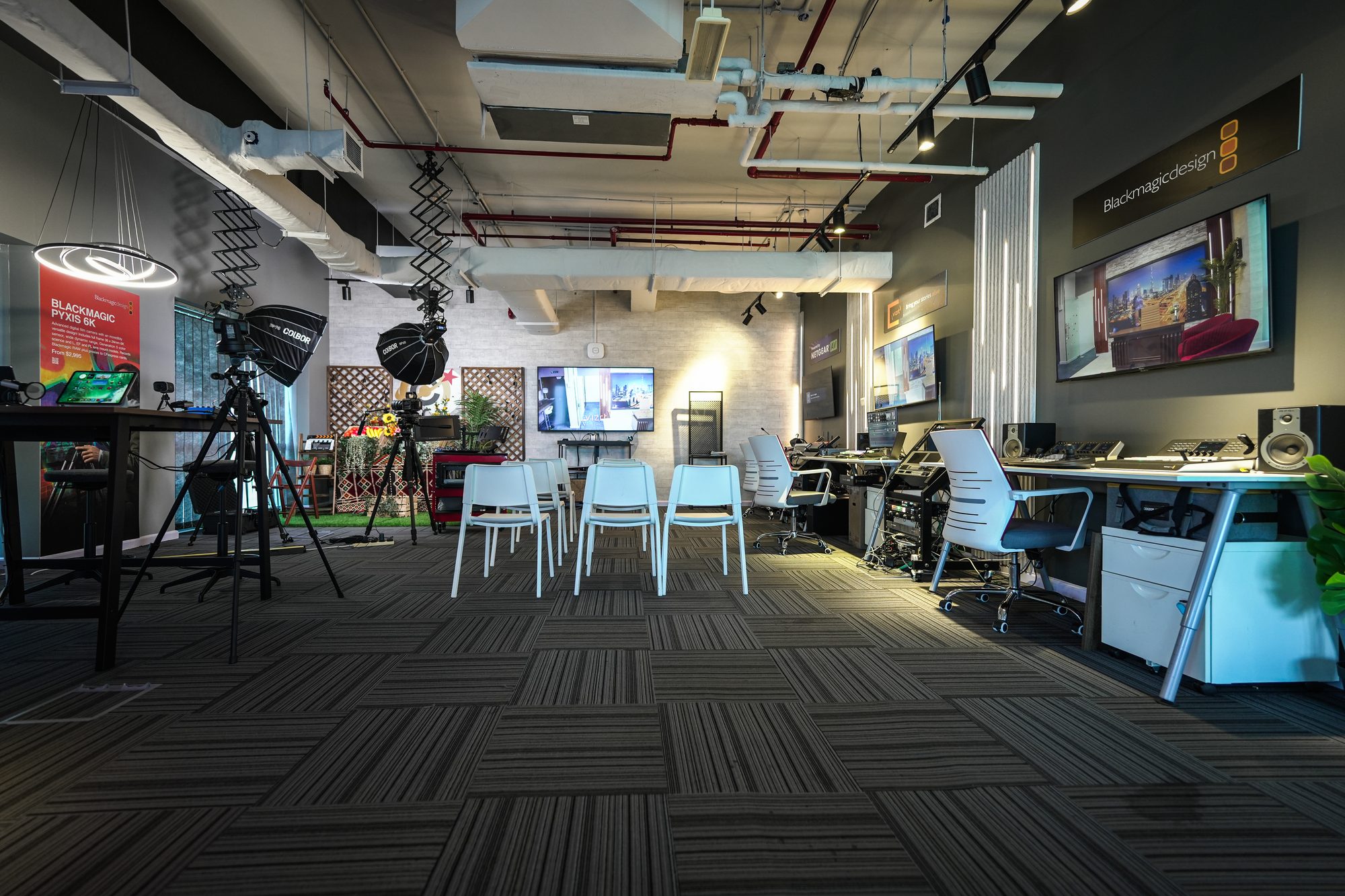
Then we invest outward: funding partner enablement, hosting manufacturer trainers in the region, sponsoring certification seats for the channel, and maintaining demo-grade signal chains at MCX so every session is hands-on rather than slideware.
Audio and broadcast are disciplines, not purchases. Training is taught by practitioners, on real signal chains, with no marketing gloss — which is only possible in a building where the signal chains are already running.
That is what MCX is for. Every course above happens in the zone that holds the equipment, so what you learn on is what you will go back and use.
“A distributor is only as strong as the knowledge it leaves behind.”
Peyman Dadpanah — Founding Partner & Business Director
Seven courses.A ladder of mastery.
Each runs on the same progression — Workshop, then Operational, then Certified. The depth changes; the discipline never does.
DaVinci Resolve Certified Training
The official, authorised pathway to Blackmagic certification — a credential recognised worldwide, not a certificate of attendance. Taught on real footage, in a colour-managed pipeline, with your hands on the panel.
- The Cut & Edit pages
- Colour grading — primaries, secondaries, nodes
- Colour management — RCM and ACES
- Fairlight & Fusion
- Delivery and mastering
- Official Blackmagic exam
For: Editors, colourists, post teams, broadcasters
ATEM Live Switching
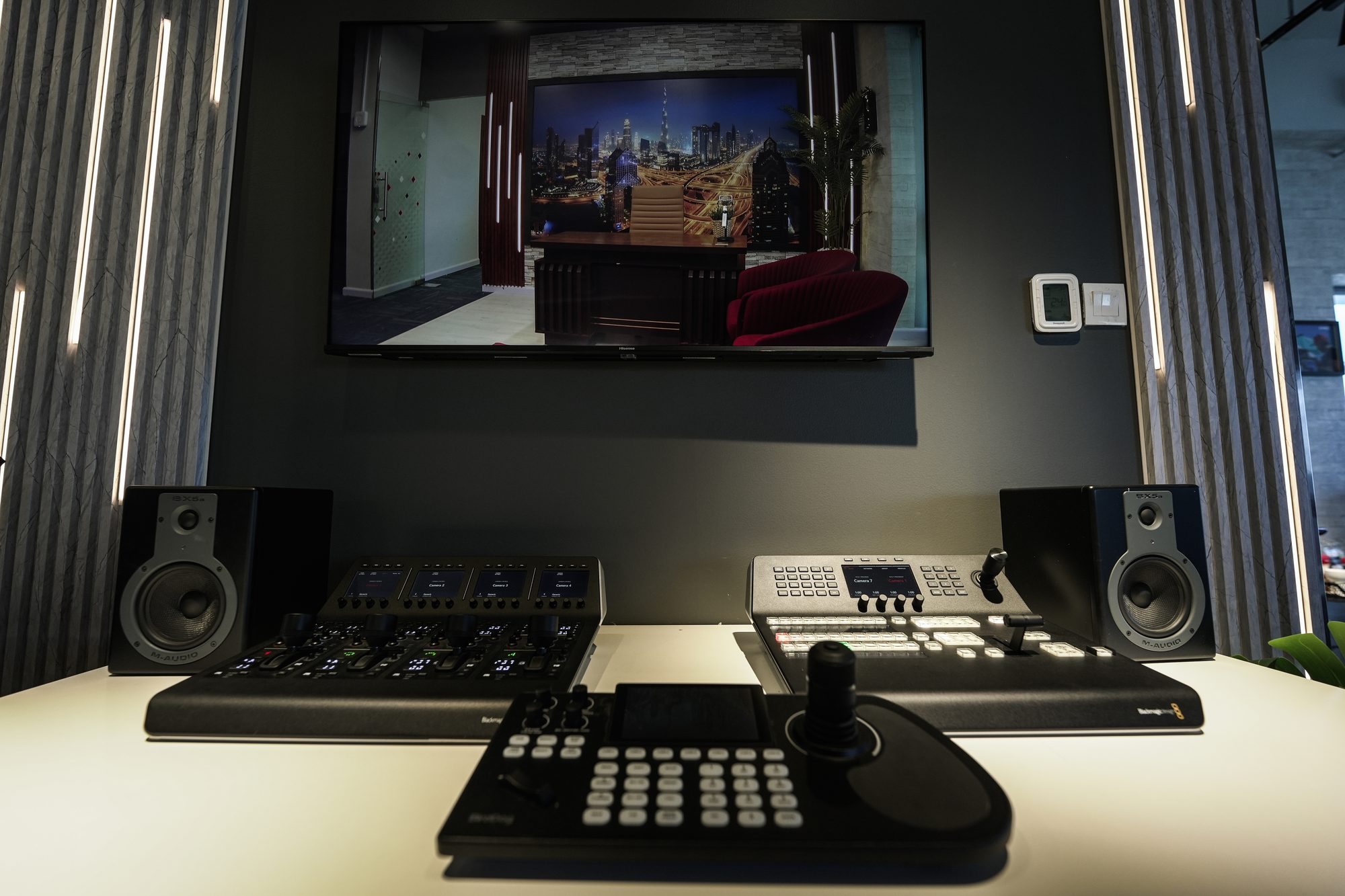
A switcher is only as good as the person driving it — and most owners use a fraction of the panel. This closes that gap, hands-on, until keying cleanly and building a macro are second nature.
- Hardware panel & Software Control
- Program/Preview and multi-camera switching
- Chroma and luma keys, USK, DSK, SuperSource
- Fairlight audio, macros, multiview
- Stream and ISO record
- Practical assessment
For: Technical directors, camera teams, AV operators
TriCaster Operational Training
TriCaster invented the all-in-one category: switcher, graphics engine, recorder, streamer and virtual-set generator at once. The difference between a clean show and a scramble is almost never the equipment.
- System architecture, I/O and sessions
- Switching, transitions, DVEs, macros
- DDR playback, graphics and LiveSet virtual sets
- Audio mixing, streaming, multi-record
- Practical assessment
For: AV teams, houses of worship, universities, event companies
Live Production Training
Live production is not a device, it is a discipline. Most live failures are not technical — they are organisational. A dropped feed or a muted mic comes from a team that knows its gear but not its workflow.
- Signal flow, system design, redundancy
- Multi-camera direction and shading
- Audio-for-live, intercom, graphics
- Streaming, bitrate, run-of-show, show-calling
- Practical crew assessment
For: Production crews and in-house teams
Filmmaking — Blackmagic Cinema Cameras
Hands-on cinematography taught on the same URSA Cine and PYXIS bodies that live in Zone 04 — sensor, format, exposure and the decisions that survive into the grade.
- Camera set-up and menus
- Exposure and dynamic range
- Recording formats and media
- Lensing and support
- Straight into the Resolve suite
For: Filmmakers, DoPs, camera operators
Mobile Film Production
Professional discipline applied to the camera already in your pocket — and the app that turns it into a controllable, gradeable acquisition tool.
- Blackmagic Camera App
- Manual control and exposure
- Audio for mobile
- Getting mobile footage into a professional pipeline
For: Content creators, journalists, social teams
Music Production Workshop
Production taught on the standalone AKAI systems and Universal Audio chain in Zone 05 — from first pattern through to a mixed, monitored track.
- Standalone production on MPC / FORCE
- Sampling, sequencing, arrangement
- Recording through UA conversion
- Monitoring and mix decisions
For: Producers, composers, artists, students
Thirty-six chapters,cover to cover.
What each course actually teaches, in the order it is taught. Every chapter is time on the equipment in the zone that holds it — the reading is here so nobody arrives guessing.
DaVinci Resolve Certified Training
The Cut & Edit Pages
Where the story is built
Resolve gives you two editors in one. The Cut page is built for speed — quick assemblies, sync and fast turnarounds — while the Edit page gives you frame-accurate control, advanced trimming and full timeline management. You’ll learn disciplined media management first, then build and refine timelines until assembling a broadcast-ready edit is second nature. This is the foundation every later stage depends on.
Colour Grading
The heart of Resolve
This is why the world grades in Resolve. You’ll start with primary corrections — balancing exposure and colour — then move into secondaries using qualifiers, power windows and tracking to isolate and shape specific parts of the frame. The node-based workflow at the centre of it all is the same one professional colourists use to build looks, match shots across a timeline and give a production its signature mood. By the end you can take flat, log footage and turn it into a finished, intentional image.
Colour Management
Consistency, camera to master
A great grade is worthless if the colour falls apart between cameras or on delivery. You’ll learn Resolve Color Management and the fundamentals of ACES — how to set up a colour-managed timeline so footage from any camera behaves predictably in the same project. The result is an image that stays consistent from the first import to the final delivered master, on any screen it’s viewed on.
Fairlight & Fusion
Finish without leaving
Resolve is a complete finishing environment, not just an editor. In Fairlight you’ll sweeten dialogue, balance levels and mix audio to delivery standard. In Fusion you’ll build titles, clean-ups and node-based visual effects. The point is workflow: you complete an entire production — picture, sound and effects — inside one application, with no round-tripping between programs and no lost time.
Delivery & Mastering
Get it out, correctly
Finishing means nothing if the export is wrong. You’ll master codecs and delivery specs, the Deliver page and render queue, and round-tripping to and from other systems — so your masters meet broadcast, cinema and streaming requirements the first time, every time.
Exam & Certification
The official Blackmagic credential
The programme concludes with the official Blackmagic Design certification exam — an internationally recognised credential, not a certificate of attendance. It is prepared and administered at MCX by Abigail Young, the region’s only T3-certified DaVinci Resolve trainer, and MediaCast is the only Blackmagic Design Certified Training provider in MENA and Türkiye. Pass, and you hold proof of real, examined competence that clients and employers recognise anywhere in the world.
ATEM Live Switching
Panel & Software Control
Your command surface
Real productions use both the hardware panel and ATEM Software Control, so you’ll learn them together. You’ll wire up and label sources, understand the program/preview model that underpins every switch, and get comfortable driving the switcher with the calm of a director who knows exactly where every button is. Confidence at the panel is what separates a clean show from a scramble.
Multi-Camera Switching
Cutting the show
Cuts, dissolves, wipes, DVEs and stingers are the grammar of live switching. You’ll learn not just how to perform each transition but when to use it, building a sense of timing that serves the content rather than showing off. Then you’ll drill switching a multi-camera show cleanly under real time pressure, because live has no second take.
Keying & SuperSource
Compositing live, in real time
You’ll master chroma and luma keys, upstream and downstream keyers, and SuperSource for multi-box layouts and picture-in-picture. That means keying a presenter onto a virtual set, laying lower-thirds and logos over the programme, and building genuinely complex looks — all live, all in real time.
Audio, Macros & Output
Automate and deliver
A show is more than pictures. You’ll mix sound with the built-in Fairlight audio, sequence complex repeated moves into single-press macros that make you fast and reliable, monitor everything through multiview, and stream or ISO-record the finished programme to the platforms and formats you need.
Assessment & Certification
Certified by MediaCast
The course ends with a practical, hands-on assessment on real hardware — not a quiz — and a MediaCast certificate of completion. It is evidence that you or your team can actually run the switcher under pressure, backed by the authorised distributor and training provider for the region.
TriCaster Operational Training
System Setup & I/O
Get everything in
TriCaster is an all-in-one system, and it starts with signal. You’ll learn its architecture — inputs, sources and signal flow — and configure a production from a blank session to a fully show-ready system, so nothing surprises you when the clock is running.
Switching & Effects
Run the show
You’ll drive switching, transitions, DVEs and effects with confidence, then learn the macros and automation that let a single operator do the work of several — fast, repeatable and safe under pressure.
Graphics, Media & Virtual Sets
Make it broadcast
This is where a raw feed becomes a polished broadcast. You’ll run media and clips from the DDR, build lower-thirds and overlays, and use LiveSet virtual sets to place your talent in environments far larger than the room you’re shooting in.
Audio, Stream & Record
Get it out
The last mile decides whether the show lands. You’ll mix and audio-follow-video, then stream and record the finished production reliably, to multiple destinations and in the formats your audience and archive need.
Assessment & Certification
Certified by MediaCast
You’ll finish with a practical assessment run on the system itself and a MediaCast certificate of completion — proof of real operational competence, issued by the region’s authorised training provider.
Live Production Training
Signal Flow & System Design
The whole chain
Live production is a chain, and it’s only as strong as its weakest link. You’ll step back from any single box to understand how cameras, switcher, audio, graphics and streaming fit into one coherent, resilient system — and how to design in the redundancy that keeps you on air when something fails.
Cameras & Direction
Shots that serve
You’ll cover multi-camera direction, shot discipline and shading — matching cameras so they cut together seamlessly, and calling shots so the programme feels intentional and composed rather than accidental.
Audio, Comms & Graphics
The invisible craft
The layers most people never notice are the ones that separate an amateur stream from a broadcast. You’ll learn audio-for-live, intercom and comms discipline, and how to integrate graphics and playback cleanly into the programme.
Streaming & Show-Calling
On air, no undo
You’ll cover encoding, bitrate, platforms and redundancy for reliable streaming, then the human side: run-of-show planning, rehearsal and show-calling — building a crew that stays calm and coordinated the moment it goes live.
Assessment & Certification
Certified by MediaCast
The programme closes with a practical crew assessment on a real multi-camera setup and a MediaCast certificate of completion — recognition that your team can run a live production end to end, backed by the region’s authorised training provider.
Filmmaking — Blackmagic Cinema Cameras
The Cinema Image
See like a camera
Before you touch a setting, you need to understand what a cinema camera is actually doing. You’ll cover sensors, dynamic range and Blackmagic RAW — why these cameras capture a flat, information-rich image, what that latitude buys you later in the grade, and why it’s unforgiving of guesswork.
Exposure & Lensing
Own the look
You’ll learn to expose for the grade using false colour and zebras — protecting highlights and holding shadow detail — and to shape the frame through lens choice, aperture and movement. These are the decisions made before the shutter that define whether footage reads as cinematic.
Lighting
Shape the frame
Lighting is the single biggest lever on how footage feels. You’ll cover the fundamentals — direction, quality and contrast — and how to use light to give a flat sensor image depth, mood and intention.
On-Set Workflow → Post
Protect the image
A great shot is only as safe as your data. You’ll learn on-set media management, metadata and reliable backup discipline, then a clean, colour-managed hand-off into DaVinci Resolve so nothing is lost between the set and the grade.
Assessment & Certification
Certified by MediaCast
You’ll finish with a practical shooting assessment and a MediaCast certificate of completion — evidence of real hands-on capability with the camera and workflow, issued by the region’s authorised training provider.
Mobile Film Production — Blackmagic Camera App
Manual Control
Take the wheel
The phone can behave like a professional camera — if you take control. You’ll learn ISO, shutter, white balance and focus in the Blackmagic Camera app, leaving auto-everything behind so every exposure is a decision, not a guess.
Formats & Blackmagic RAW
Shoot for finish
You’ll understand the app’s formats and Blackmagic RAW on mobile, plus Blackmagic Cloud — so your phone captures in the same colour space as the cameras on set and the footage flows straight into a Resolve edit.
Framing, Rigging & Sound
Look and sound professional
Craft is what separates professional mobile work from everything else. You’ll cover composition and stabilisation, practical mobile rigs, and the audio that most phone video gets badly wrong — done properly.
Mobile → Resolve
Finish properly
You’ll offload cleanly and finish in DaVinci Resolve, applying a real grade — so ‘shot on a phone’ becomes a deliberate creative choice and a point of pride, not an apology.
Assessment & Certification
Certified by MediaCast
The workshop ends with a practical assessment and a MediaCast certificate of completion — proof that you can shoot and finish professional-grade mobile work, issued by the region’s authorised training provider.
Music Production Workshop
The Signal Chain
From mic to monitors
Every recording is shaped by the path a sound takes. You’ll learn microphones, preamps, interfaces and monitoring — what each stage does and how it colours the sound — before you commit a single take, so you start from a clean, intentional source.
Recording & the DAW
Capture it right
You’ll cover mic technique and gain staging for a clean, usable source, then a fast, musical DAW workflow for editing, comping and building takes into finished performances.
Arrangement & Mixing
Build the record
You’ll move from arrangement and production into mixing fundamentals — balance, EQ, compression, effects and creating space — and, crucially, learn to hear your room and your mix honestly so your decisions translate beyond your own speakers.
Toward a Master
Finish and release
You’ll get a grounding in mastering, loudness and delivery — the final polish that turns a good mix into a competitive, release-ready record.
Assessment & Certification
Certified by MediaCast
The workshop closes with a practical assessment and a MediaCast certificate of completion — recognition of real production competence, issued by the region’s authorised training provider.
The only Blackmagic Design Certified Training provider in MENA and Türkiye.
DaVinci Resolve certification at MCX is prepared and administered by Abigail Young — the region's only T3-certified DaVinci Resolve trainer, the highest level Blackmagic awards. Group, private and corporate sessions, held at MCX in Dubai.
Different rooms.Same standard.
Empowered, not just equipped
Broadcasters, editors and colourists, houses of worship, venues and corporates. We train the people who run the systems until the technology answers to them — and mastery creates opportunity: new formats, new services, the confidence to say yes to bigger work.
Sell it. Support it. Mean it.
Product mastery, honest positioning and first-line support competence. A partner who can demo with confidence and answer the hard question on the spot wins the deal — and keeps the customer long after it.
Specify with authority
Certified, design-grade competency for the firms who design and specify. When a design gets challenged, certified knowledge is what holds the specification together.
From enquiry to certificate,organised, not improvised.
No course is booked off a syllabus. We start from what the team cannot do yet, and work back to the dates.
What the team cannot do yet
We map the real gaps rather than sell a generic syllabus. Half of these conversations end with a shorter course than the one that was asked for.
Curriculum matched to the room
Level and chapters set against the actual audience — an operator team and a post house do not need the same five days.
Dates that fit the operation
Cohort size, dates and delivery mode arranged around your production calendar, not ours.
Hands on the equipment
Practitioner- or manufacturer-led, in the zone that holds the kit. Nobody watches a slide of a panel they could be sitting at.
Assessment, and a team you can still reach
Assessment and certification where the course carries one — and the same trainers reachable afterwards, which is the part that decides whether it stuck.
The room,on a working day.
Ready to trainhands-on?
Tell us your discipline and level, and we will match you to a trainer and a course.